
In this article, we will show you how to add Polygon (MATIC) to MetaMask, which will allow you to use MetaMask to interact with the Polygon network just like you do with Ethereum.
Once you add the Polygon Network to MetaMask, you can store and send Polygon-based tokens and seamlessly use decentralized applications deployed on the Polygon Network.
All you need before adding Polygon to MetaMask is to install the MetaMask browser extension or mobile wallet. You don’t even need tokens to get started, although having some MATIC tokens will be necessary if you want to conduct any kind of transaction on the Polygon network.
Essentials:
- Before adding Polygon to MetaMask, make sure you have the MetaMask browser extension or mobile wallet installed, but no tokens are required initially.
- The process of adding Polygon to MetaMask involves selecting the Polygon network in the settings or adding it manually if it is not listed.
- To add Polygon-based tokens, find the token’s contract address on a block explorer such as PolygonScan and import it into MetaMask.
- Using Polygon with MetaMask is convenient, but for better security it is advisable to use it alongside a Ledger hardware wallet.
How can I add Polygon to MetaMask?
Before we start the guide, we would like to point out that while using Polygon with the MetaMask wallet is extremely convenient, it is also not the best idea from a security perspective if you only use MetaMask software and do not supplement it with a hardware wallet .
If you want to make your cryptocurrencies significantly more secure, we recommend purchasing a Ledger hardware wallet. You can connect your Ledger wallet to MetaMask so you can enjoy the best of both worlds: the convenience of MetaMask and the security of Ledger.
Hardware wallets manufactured by Ledger are widely considered the safest and most reliable way to store Bitcoin and other crypto assets. As long as seed phrase storage is handled with care, there is no way that malicious actors or software can compromise the security of your crypto.
Buy a Ledger Hardware Wallet
Now let’s get started with our detailed guide to adding the Polygon Network to your MetaMask wallet.
- Go to the “Institutions‘ section of your MetaMask wallet
- Choose the Polygon network
- (Optional) Add the Polygon network manually
- Import any custom polygon-based tokens you want to use
1. Go to the “Settings” section of your MetaMask wallet
Open your MetaMask wallet and then click on the profile icon at the top right of the user interface. Then select “Institutions‘ from the drop-down menu that appears.
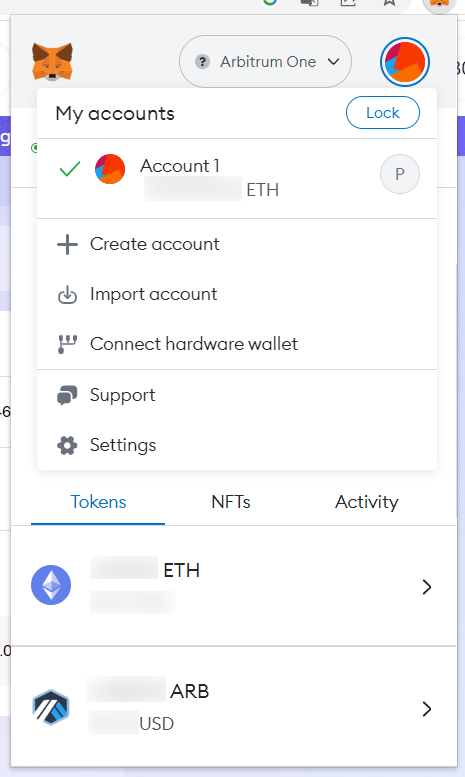
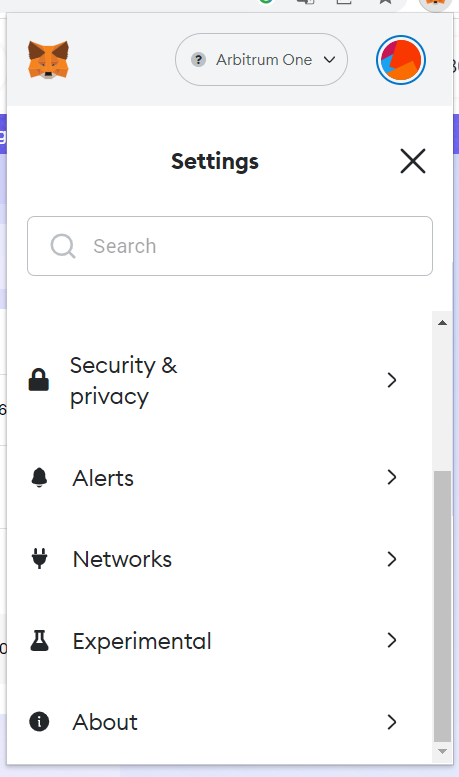
2. Once you are in the “Institutions“menu, select”Networking.”
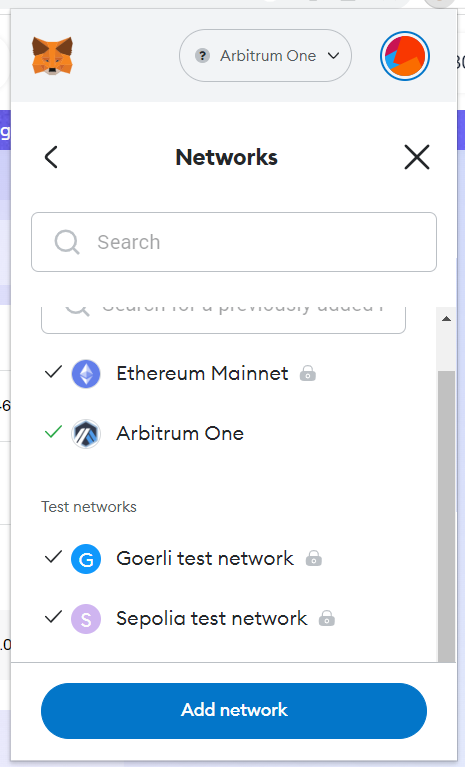
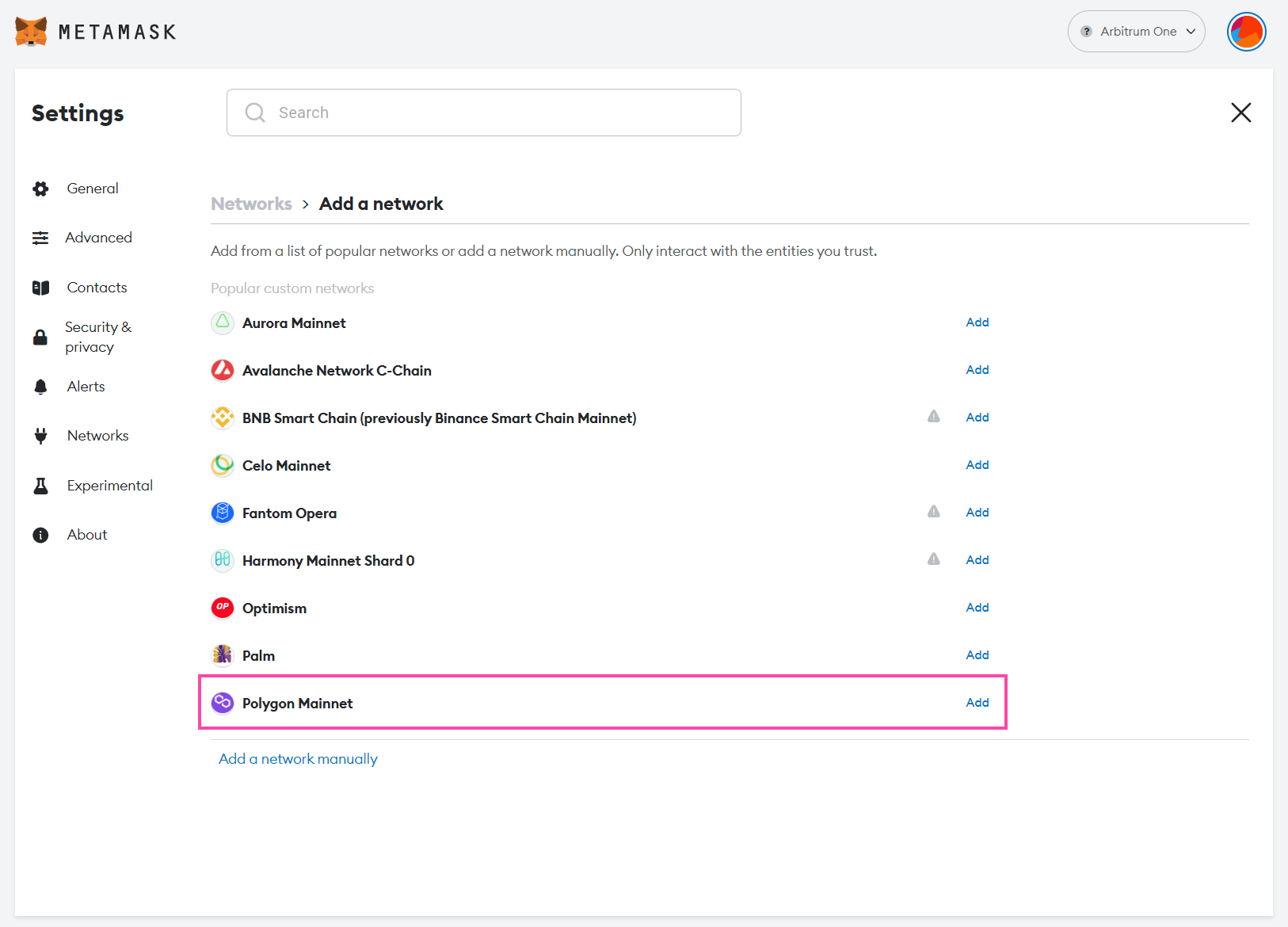
Here you can see the list of networks your MetaMask is currently configured to work with. Click “Add network” to add Polygon to your MetaMask wallet.
2. Choose the Polygon network
As you will be able to see, Polygon is already listed as one of the popular networks that users like to use with MetaMask, which makes the process of adding it to your MetaMask even easier. Just click on “Add” next “Polygon main mesh‘ and then click ‘Approve.”
3. (Optional) Add polygon manually
If you don’t see the Polygon network in the list, don’t worry. You can easily add it manually. Click “Add a network manually‘ and then enter the following information:
- Network name: Polygon main mesh
- New RPC URL: https://polygon-rpc.com
- Chain ID: 137
- Currency symbol: MATIC
- Block Explorer URL: https://polygonscan.com
If you have provided this information correctly, MetaMask will inform you that you have switched to the Polygon Mainnet.
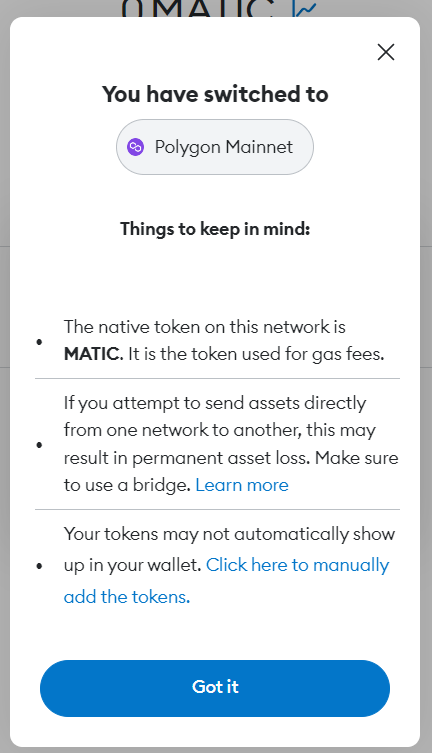
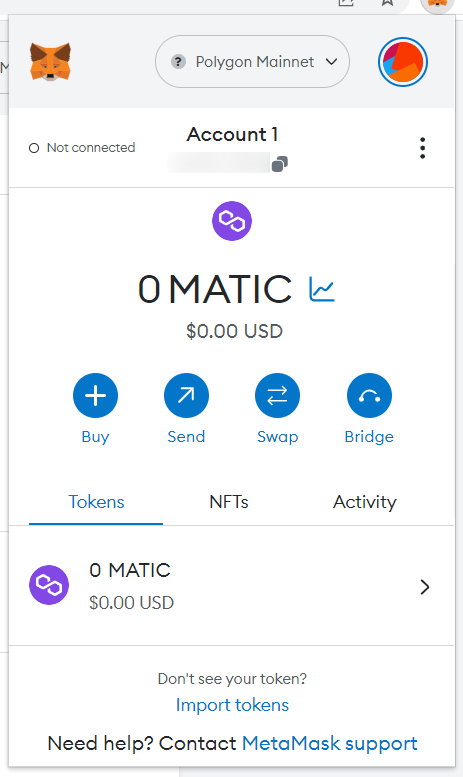
When you reopen your MetaMask wallet, you will see that the default currency has changed from ETH to MATIC and that you are currently using the Polygon Mainnet. If you want to switch back to Ethereum or another network, you can easily do so from the menu at the top of the MetaMask interface.
How can I add polygon-based tokens to MetaMask?
You don’t need to manually add MATIC to MetaMask after moving to the Polygon network. However, you will need to manually add any other Polygon-based tokens you want to use.
Find the contract address of the token using a block explorer
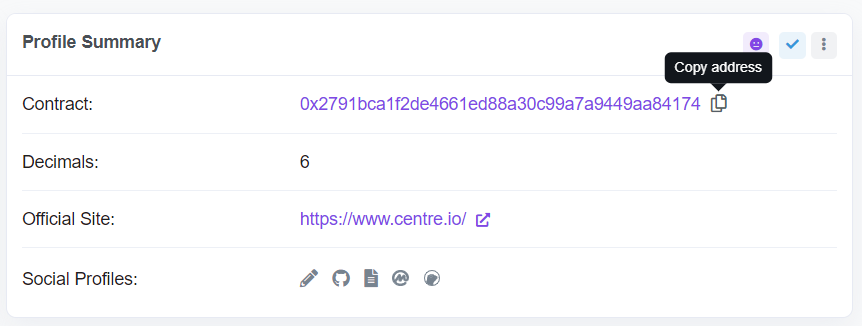
In our example, we add information about the USDC token on the Polygon network to our MetaMask wallet. You’ll need the token’s contract address, which can be found in any Polygon block explorer. We will use the PolygonScan block explorer.
We are looking for “USDC” on PolygonScan and go to the first result. Below “Profile Resume“, you can see the contract address. Copy it.
Import the token’s information into MetaMask
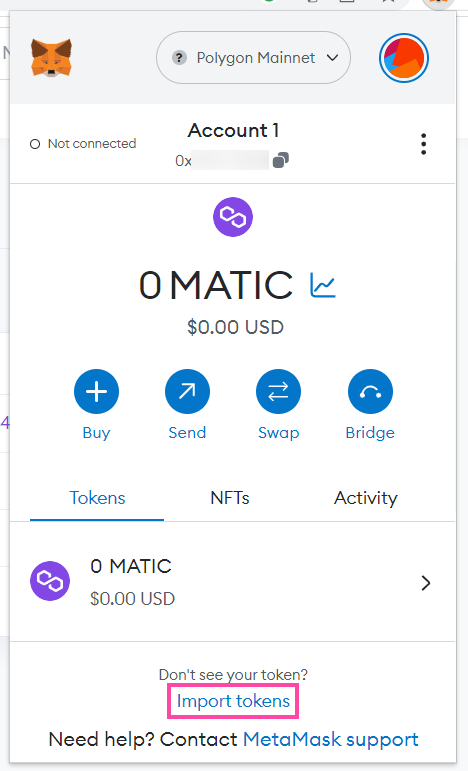
Then go back to your MetaMask wallet and select “Import tokens.”
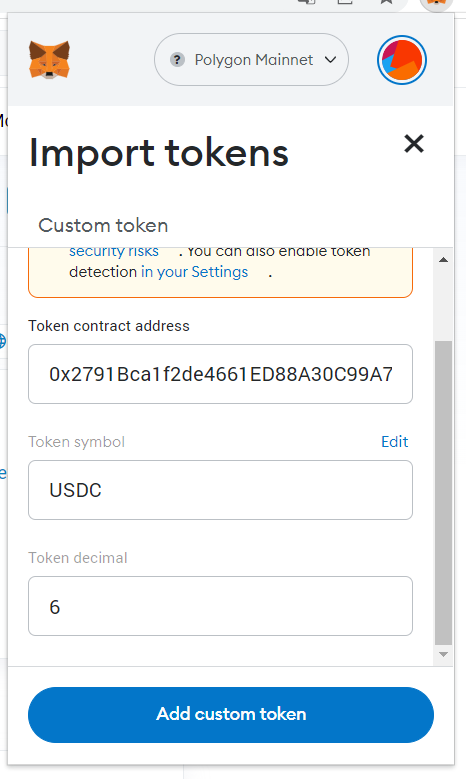
In the “Token contract address‘, paste the contract address you copied from PolygonScan. Then MetaMask should be able to automatically detect the token symbol (“USDC”) and the decimal amount (“6”). If everything is correct, click on “Add custom sign.”
You can use the same process for any other polygon-based token you want to use. Make sure you find the correct token on PolygonScan or another block explorer of your choice and copy the correct address.
What other blockchains does MetaMask support?
You can use MetaMask with most blockchains compatible with the EVM (Ethereum Virtual Machine). Here are some examples of EVM-compatible blockchains that can be used with MetaMask.
- Polygon
- BNB chain
- Arbitration
- Avalanche
- Phantom
The process of adding each of these networks to MetaMask is much the same as adding Polygon, although each network will have its own name, RPC URL, chain ID, currency symbol, and block explorer URL.
The bottom line: adding new networks to MetaMask is easy
As our guide has hopefully shown, the process of adding Polygon to MetaMask is quite simple. You can also use the same process you learned here to add other compatible networks, like adding BNB Chain to MetaMask for example.
Choosing the right cryptocurrency wallet is a crucial step for every cryptocurrency investor and user. If you choose to use a software wallet like MetaMask, we recommend combining it with a high-quality hardware wallet. We offer a comprehensive overview of the best hardware wallets if you want to learn more.